
OsTrax
Orbiting Satellite Tracking For The Next Generation
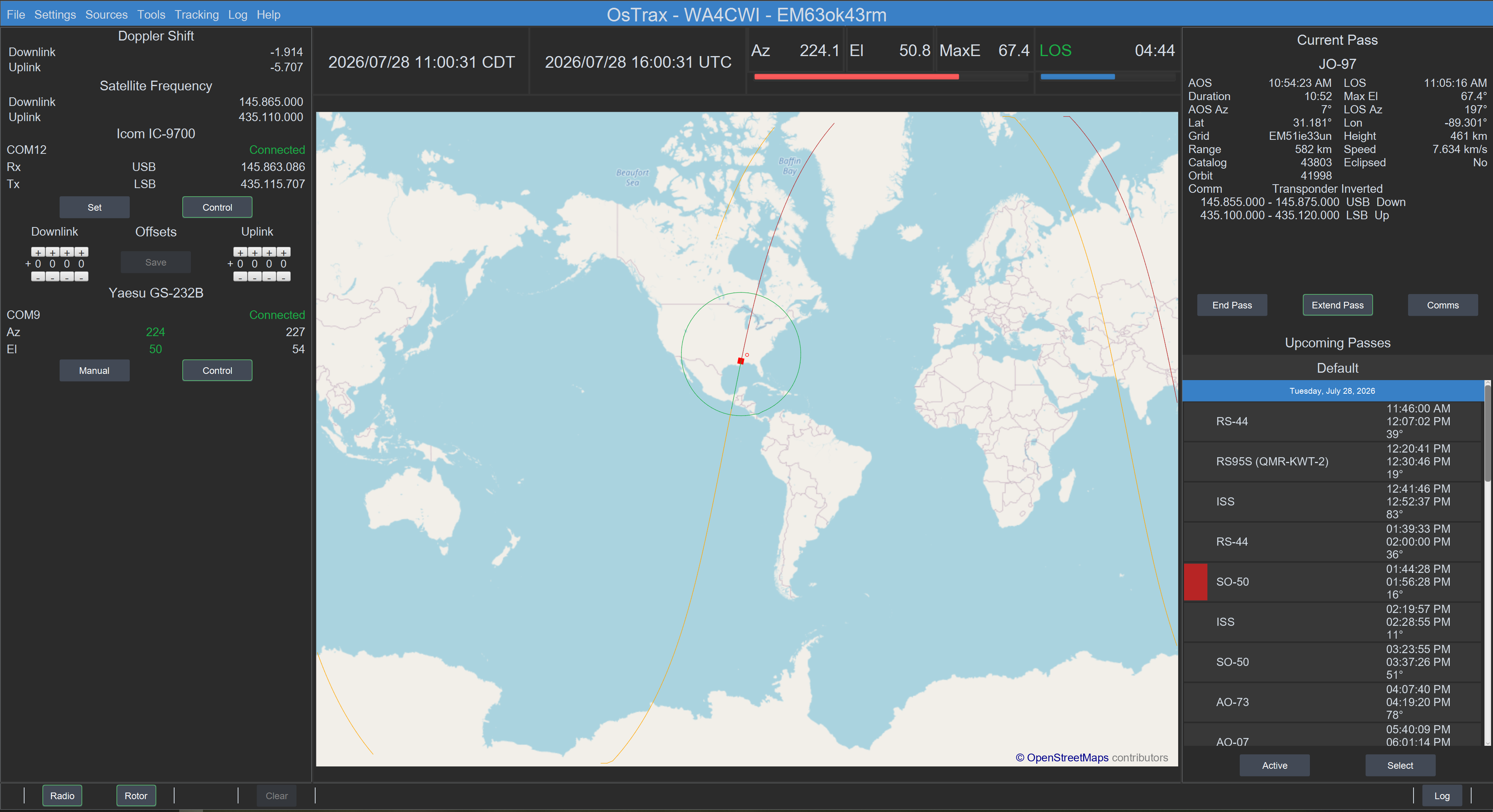
Orbiting Satellite Tracking For The Next Generation
Satellite information, communication link options and pass details visible or easily accessed.
Simple preference settings, organized, uncluttered displays with easily accessible controls make operating simple, easy and enjoyable.
The ultimate goal. More satellite communication due to information and ease of operation.
OsTrax is available for Windows (10 and 11), macOS (A64 and x64) and Ubuntu (Intel x64).
Radios from legacy to SDR using USB serial ports.
Az/El rotor controllers using USB serial ports.
Orbit information is derived from Orbital Elements sourced from AMSAT and CelesTrak based on user selection.
Element sources are monitored for changes at selected intervals with automatic or user controlled updates.
User defined orbit elements are managed by menus.
Satellite information, including communication link definitions, are maintained in a common repository and automatically updated.
No table or file updating required.
User defined communication links are managed by menus.
OsTrax is full customized using simple preference menu settings. Customization options include General operation, Map, Pass, Rotor and Radio options and Doppler update rates by modulation type.
Operation is simple using easy accessible contols and options. Upcoming satellite pass views allow managing conflicting passes with a few mouse clicks. Satellite can be added or deleted from pass consideration. Satellite communication links are changable with a mouse click.


Top
Customization options for personal preferences
Ground Station Information
Orbital and Satellite Update Status
Bottom
External device controls
Status messages with optional audio notification
Contact logging with automatic pass information inclusion
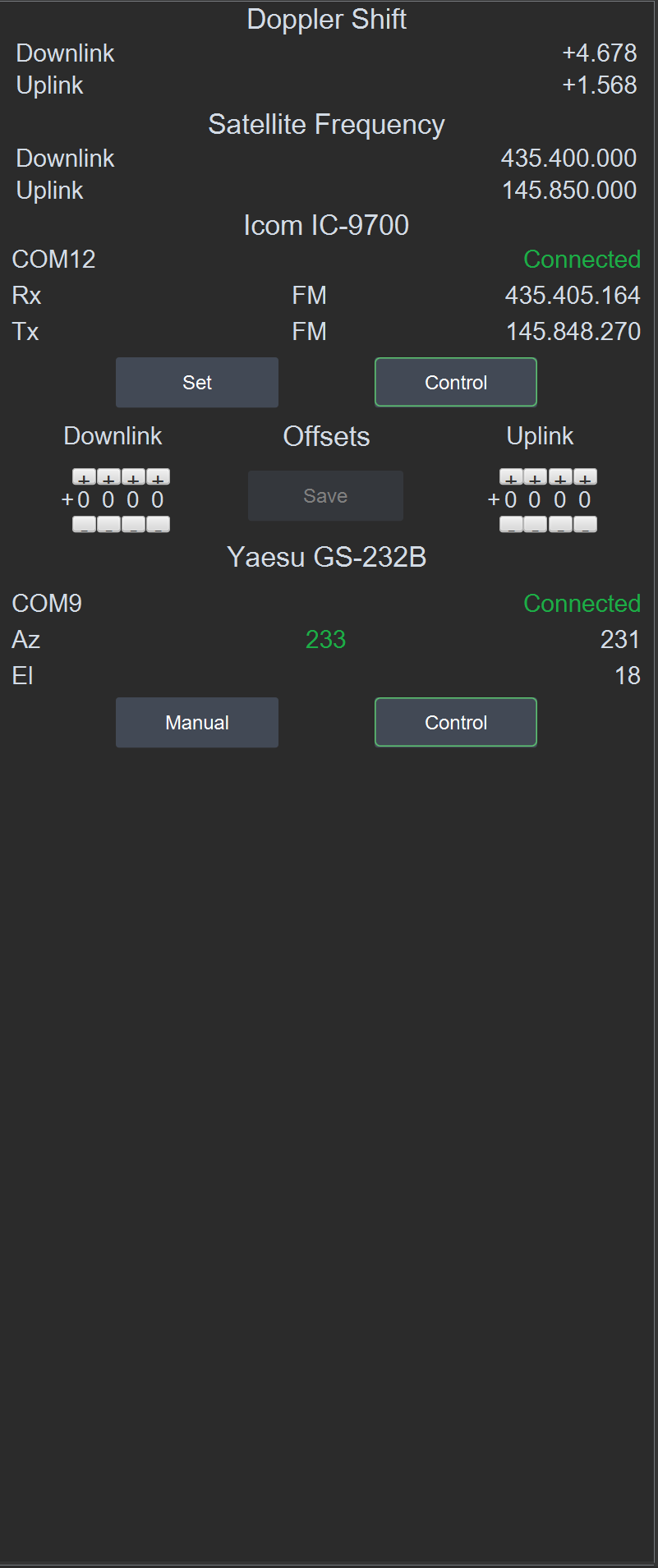
Operating Information
Current satellite frequencies and doppler shift
Radio information and controls
Rotor information and controls
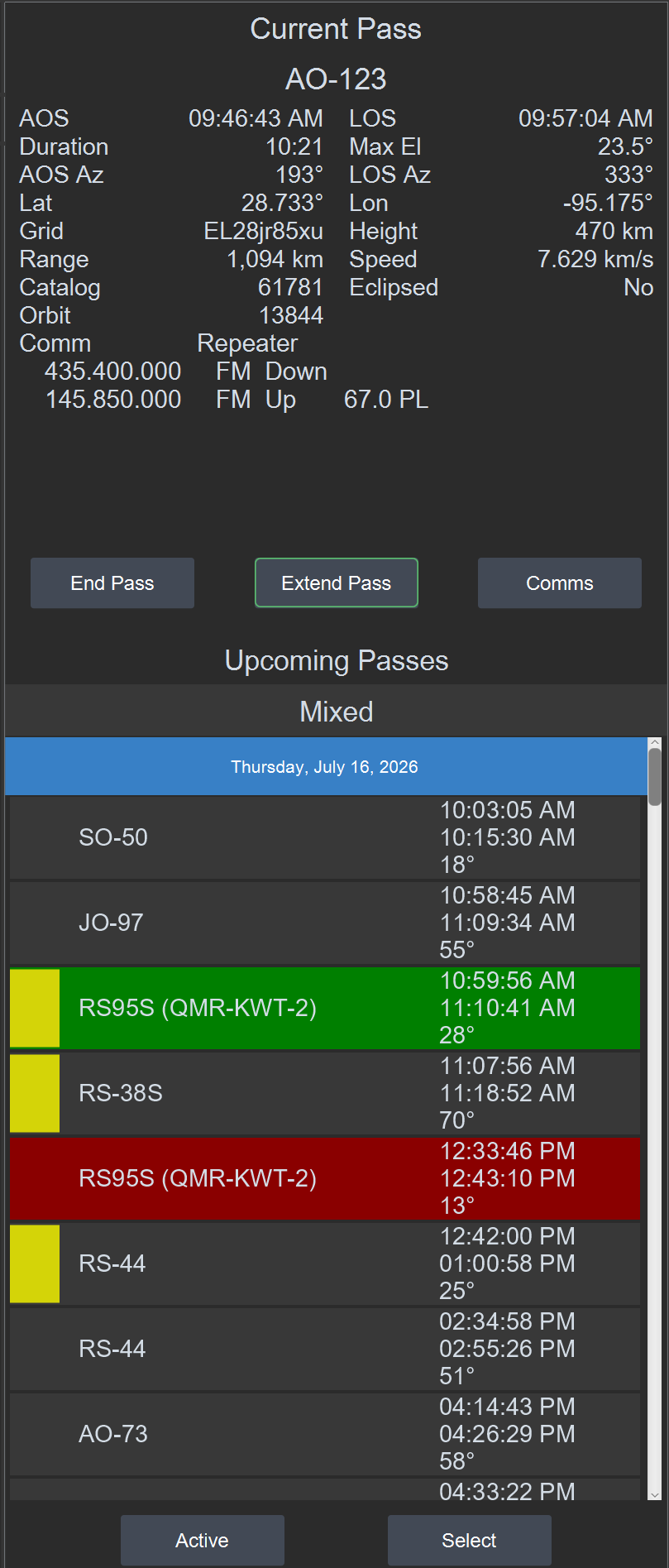
Current and upcoming satellite pass infomation
Current pass information and controls
Upcoming pass information and controls
Upcoming pass path preview
Active satellite selection controls
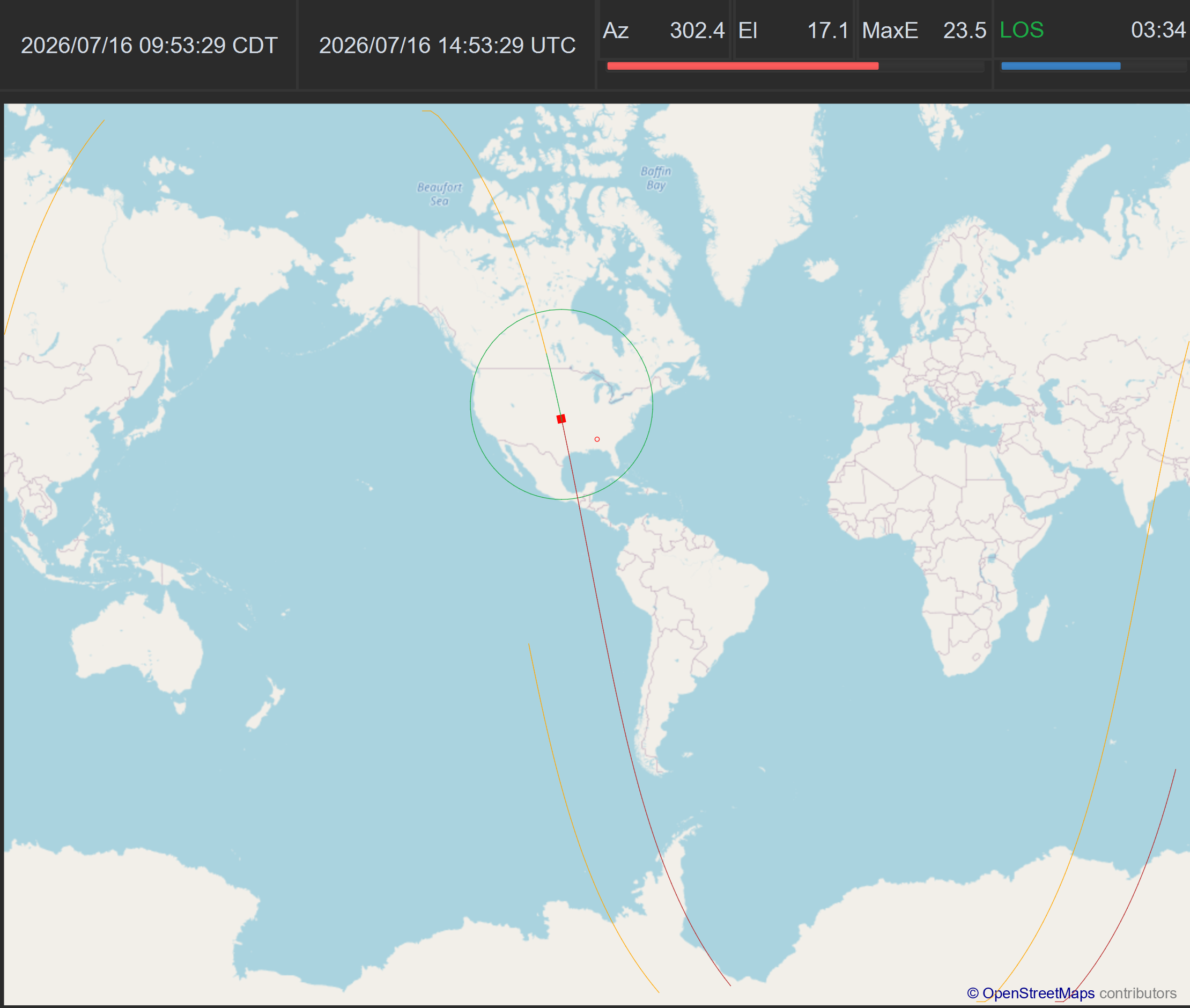
Satellite position and timing
Current date and time as local and UTC
Current satellite orbit position with graphic progress indicators
AOS/LOS times with graphic timing indicator
Satellite pass plot with pass information
Centered on Ground Station or selectable longitude
Satellite position and pass details
Multiple map selections
Pass plot using colors and icons to indicate pass status


OsTrax is available for Windows (10 and 11), macOS (x86 and A64) and Ubuntu (Intel X64), each licensed seperately.
OsTrax can track satellite in classic LEO and MEO orbits. GEO orbits are not supported.
OsTrax works with all popular satellite radios from legacy to SDR. Rotor control includes current Az/El controllers and EasyComm. For a complete list, refer to the User Guide
OsTrax requires no manual table or list updates. Orbital and satellite information is automatically updated based on user preferences.
OsTrax is fully customized using preference menu settings.
Preference settings allow for a range of alternate color choices with optional visual icons.
There is no limit to the number of ground stations that can be define. Within each ground station an unlimited numer of named satellite groups can be defined. Switching between satellite groups or ground stations is accomplished using selection menus.
Yes. Sun and Moon tracking is a menu selection. In addition, satellite passes can be viewed under user control that select the satellite, pass and tracking update rate.
Both user defined satellites including orbit details and communication links can be defined and selected for use. Communication links can be defined for user defined satellites or as extensions to existing satellites.
OsTrax is permanently licensed to a single user based on operating system. The license cannot be sold, transferred or shared. All rights and owership to OsTrax remain with Avinstar, LLC or it's assignees.
OsTrax is installed using the standard installer for the downloaded operating system version. No extra action or installs are required.
OsTrax supports catalog numbers greater than 99,999 and for manual TLE input supports the Alpha-5 extended catalog number format.
Fully Functional
Satellite Orbit and Information Updates
Easily convertable to permanent license
Technical Support
Must register for trial
Single user - Single Operating System
Free Updates
Free Satellite Information Updates
Technical Support
Registration is required for both trial and permanent license.
Your registration information will not be sold or distributed.
Your email address may be used to inform you of immediate produce information including available program updates.